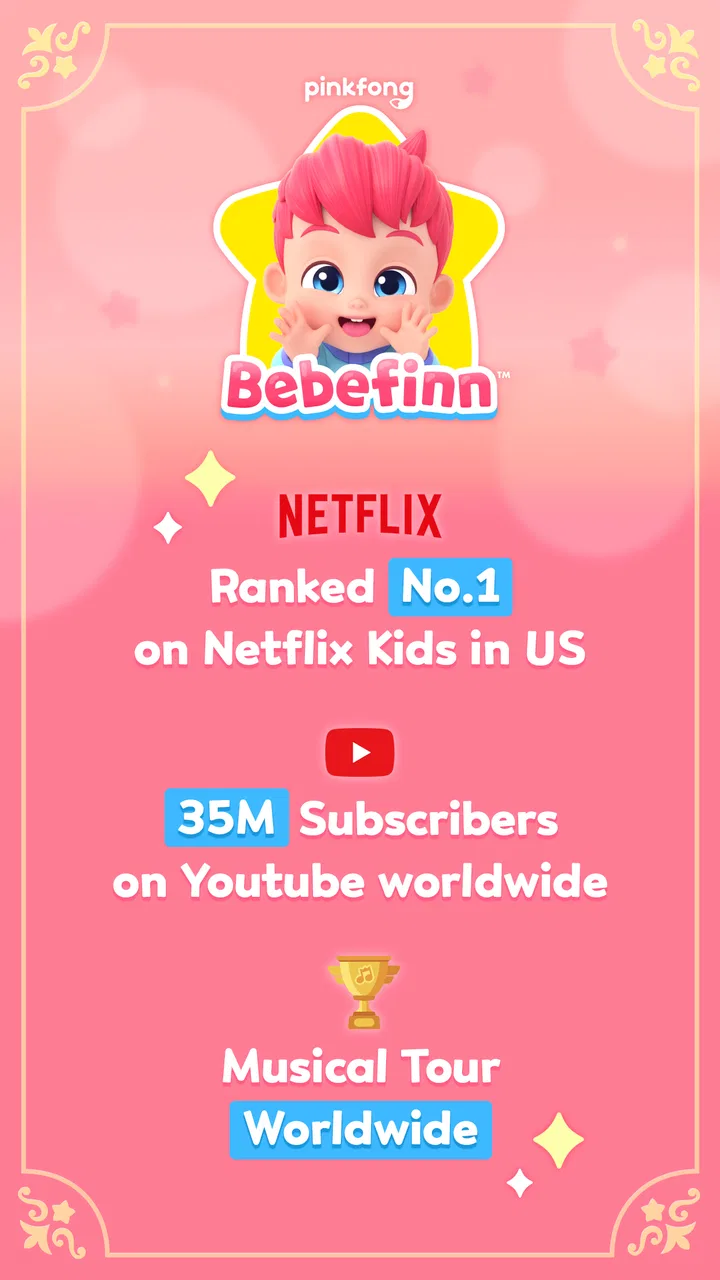
Bebefinn Play Phone: Kids Game
- 3.6
- Rating
- 1.00M
- Installs
- Free
- Price

 Analysis by App-foxy
For a first-time user, Bebefinn Play Phone: Kids Game is easiest to understand as a pretend phone experience built around Bebefinn, rather than as a traditional game with levels, competition, or a complex learning course. I found its main appeal in the simple idea of letting a child interact with a familiar character through a phone-calling theme. That makes it approachable for young children who already enjoy animated characters and like copying everyday actions such as calling, answering, and talking.
The game comes from The Pinkfong Company and sits in the educational category. It is free to install, rated for Everyone, and has passed the one-million-install mark. Those details make it accessible for families who want to try it without committing money at the start, although the presence of in-app purchases means I would still set expectations before handing over the device.
My overall impression is that this is best treated as a short, guided play activity. It can fill a few quiet minutes, give a child a familiar character to engage with, and offer a gentler alternative to fast-paced games. It is not the right choice if you are looking for deep lessons, a long progression system, or a substitute for real conversation with a parent.
You May Also Like

 Blood Strike: 2.5 Anniversary
Blood Strike’s Loadouts Turn Every Drop Into a Tactical Gamble
A close look at Blood Strike’s custom loadouts: how fast access to signature weapons reshapes its battle royale rhythm, rewards preparation, and narrows the gap between fights.

 Pandora - Music & Podcasts
Pandora’s Music Is Easy to Start, but Harder to Recover
Pandora’s strength is its low-effort path from a seed to a station. Its weak spot is how much confidence it asks you to place in connection, setup, and quiet recovery.

 8 Ball Pool
 Is Built on Rivalries, Rematches, and Routine
A close look at the rivalries, rematches, shared routines, and unanswered safety questions that turn a quick pool match into a persistent mobile community.

 Samsung Music
’s Quiet Strength Is Playing What You Already Own
Its reach comes less from spectacle than from dependable access to a personal library. That simplicity is both the app’s strongest retention engine and its ceiling.

 AccuWeather: Weather Radar
AccuWeather Review: A Quick, Clear Forecast for Everyday Decisions
For everyday plans, the best forecast is the one you can understand quickly. AccuWeather makes rain timing, radar, and local conditions easy to act on, with a few trade-offs.

 Hill Climb Racing
Why Hill Climb Racing Still Turns Crashes Into One More Run
A tiny car, a bumpy hill and one more upgrade: Hill Climb Racing keeps resurfacing because its simple chaos makes every near-miss feel personal.
More From Our News Desk



What the first session feels like
The central concept is deliberately small: a child uses the phone as though Bebefinn were calling or available for a video call. That framing is important because it tells you how to approach the game. Instead of asking a child to master rules, you can present it as imaginative play with a digital character. The value comes from the interaction itself and from the child’s willingness to respond, imitate, and explore.
I would introduce it to a child by saying something simple such as, “Bebefinn is calling—let’s see what happens.” That explanation is more useful than describing it as an educational app, because the phone metaphor is what makes the experience immediately understandable. A child who likes pretend conversations may connect with it quickly, while a child who prefers puzzles, drawing, or action may lose interest sooner.
The game’s short description identifies it as Bebefinn Play Phone, while its longer store summary presents it as a phone game for children involving video calls and phone calling. In practical terms, that means parents should expect character-focused interaction rather than a broad collection of unrelated mini-games. The narrower focus is a strength for younger users who become overwhelmed by busy menus, but it also limits replay value for children who want constant variety.
One useful way to judge it is to watch what the child does after the novelty of the first call wears off. If the child begins responding to Bebefinn, repeating words, or initiating pretend calls independently, the app is serving its purpose as a play prompt. If the child only taps randomly and waits for animation without engaging, it may be functioning more like passive screen entertainment than meaningful educational play.
Who is likely to enjoy it
I see the strongest fit for preschool-age children who already recognize Bebefinn or enjoy role-playing with phones. It can also work for a child who is hesitant with unfamiliar educational apps because the pretend-call idea is less demanding than a lesson that asks for correct answers. A parent, grandparent, or older sibling can join in by taking turns speaking to the character and asking the child what Bebefinn might say next.
It is less suitable for children who need a clearly measurable learning path. If your goal is letter recognition, early mathematics, phonics practice, or a structured language curriculum, a dedicated learning app will usually be a better choice. This game may support conversation and imaginative participation, but I would not use it as the main tool for a specific academic skill.
It may also disappoint older children. The Everyone content rating makes it broadly accessible, but age suitability and personal interest are not the same thing. A child who wants challenges, goals, or a sense of progression may find the phone-call format too limited. I would choose it for character play, not for a child asking for a more advanced game.
Getting started without making the child wait
After installing it, I would first open the game myself while the child is doing something else. This small step lets me see how the opening experience works and whether the device is ready for a child to use without constant help. It also avoids the common mistake of giving a young child a phone and then discovering that an adult decision is needed immediately.
The application supports devices running Android 7.0 or later, and the current version is 0.37. If the game does not appear or install on an older device, the operating-system requirement is the first thing I would check. On a compatible phone, I would keep the first setup calm and brief: open the game, look for the phone or call interaction, and let the child see the character before explaining anything else.
Because this is a pretend-phone game, the child may assume that every button behaves like a real call control. I would avoid giving a long explanation of every icon. Instead, I would point out one clear action and let the child try it. Young users often learn this kind of interface through imitation faster than through instructions, especially when the visual result follows quickly.
There is also a practical household question: who owns the device being used? On a parent’s phone, I would stay nearby during the first session and avoid leaving the child to explore the wider device. On a dedicated tablet or child-friendly device, the experience is more comfortable because the child can focus on the game without accidentally moving into unrelated apps. The game itself may be simple, but the surrounding device still matters.
Although the download is free, purchases inside the game range from $6.99 to $109.99 per item. That is the most important setup detail for families. I would configure purchase protection before the first session and explain to the child that tapping a button does not automatically mean something should be bought. This is not a criticism of the phone-call concept, but it is a necessary part of making the experience genuinely child-friendly.
The first meaningful success
For me, the first successful action is not merely opening the game. It is when the child understands the pretend-call loop well enough to participate intentionally: starting or responding to the interaction, watching Bebefinn, and reacting with a word, gesture, or expression. That moment can happen quickly if the adult frames the game as a conversation instead of a test.
I would sit beside the child for the first call and model a response. For example, I might wave at the screen, greet Bebefinn, and then pause so the child has room to copy me. The pause matters. If the adult talks continuously, the child becomes a spectator. If the adult leaves a little space, the child gets a chance to answer, wave, or invent a response.
A helpful routine is to let the child lead the second interaction. During the first one, I would demonstrate where to tap and how to respond. During the next one, I would ask, “What should we do now?” rather than immediately taking the phone. This turns a simple interface action into a small decision-making exercise and gives the child ownership of the play.
Another useful approach is to connect the screen with an offline activity. After a call, I might invite the child to pretend that a toy is Bebefinn, repeat a greeting, or make a paper phone. That prevents the experience from ending as a purely passive viewing session. The game becomes a starting point for language, imitation, and imaginative play, which is where I think its educational value is most believable.
Parents should not feel pressured to keep the session going once the child has achieved that first success. If the child smiles, responds, and then wants to move on, that can be a good stopping point. The goal is not to maximize screen time. A short interaction that leads to real-world play is more valuable than repeated tapping simply because the app remains open.
Where new users can become confused
The biggest possible misunderstanding is expecting a conventional game. The title includes “Game,” but the experience is closer to character-based pretend play than to an adventure, puzzle, or score-driven challenge. I would explain this to older siblings or caregivers beforehand, because they may assume the child will find levels, rewards, or a clear finish line.
Another source of confusion is the difference between a phone call and a real communication tool. A child may treat the screen as a genuine conversation and expect Bebefinn to understand any sentence. I would join the interaction instead of correcting the child too sharply. Asking the child what Bebefinn is doing or what they want to say keeps the pretend element enjoyable while making it clear that the character is part of the game.
Some children may also tap repeatedly when they are unsure what to do. That behavior does not necessarily mean the game is broken. It can mean the child needs one demonstration. I would take the device briefly, perform one action slowly, and return it immediately. Avoiding a long technical explanation keeps the focus on discovery and reduces frustration.
Parents should also watch for purchase prompts or locked content if they appear during exploration. Since the game includes optional purchases, a child may interpret a purchase screen as another part of the play sequence. I would teach a simple rule: stop and ask an adult whenever a screen mentions buying something. That rule is useful beyond this particular game and prevents accidental taps.
The rating of 3.6 from around one thousand four hundred ratings suggests that the experience is not universally satisfying, and I think the narrow format explains why opinions may differ. A family looking for a quick Bebefinn-themed activity may be happy, while someone expecting a complete educational package may judge it more harshly. I would read that rating as a reminder to match the game with the child’s interests rather than treating it as a universal recommendation.
How it compares with ordinary alternatives
Compared with a standard educational game, Bebefinn Play Phone: Kids Game feels less like a lesson and more like a digital role-play prompt. Traditional learning apps often ask children to identify, sort, count, or complete a task. This game’s advantage is emotional familiarity and low pressure. A child can enter through a pretend call without feeling that every response is being judged.
Compared with watching Bebefinn videos, the phone format can invite more active participation. The child has a reason to respond, wave, or take a turn instead of simply watching a sequence. However, the amount of interaction may still be lighter than in a carefully designed learning game. If your child tends to sit silently through character content, the phone theme alone will not guarantee engagement.
Compared with a real video call with a family member, the game is more predictable and easier to start, but it cannot replace genuine back-and-forth conversation. A grandparent can adapt questions, notice confusion, and respond to the child’s mood. Bebefinn can provide a comfortable rehearsal space for greetings and pretend dialogue, but I would use it alongside real interaction rather than as a substitute.
Compared with open-ended pretend play using a toy phone, the app adds a responsive character and animated context. The toy is more flexible and has no purchase prompts or screen distractions. I would choose the app when the child specifically wants Bebefinn, and choose the toy when I want imagination to remain completely child-led.
Small strategies that make the experience better
First, use the game as a transition rather than as background noise. A brief call before getting dressed, after returning home, or while waiting for an appointment gives the activity a clear place in the day. I would avoid opening it during a moment when the child is already overtired, because even a simple interaction can become frustrating when attention is low.
Second, ask one question after the call instead of interrogating the child throughout it. “What did Bebefinn do?” or “What should we say next time?” encourages recall and imagination without turning play into homework. This is a more useful way to extend the educational side than repeating the same taps.
Third, rotate who controls the phone. The child can initiate one interaction, the adult can demonstrate another, and a toy can become the next participant. This prevents the game from becoming a repetitive button routine and makes the limited phone concept feel more open-ended.
Fourth, decide in advance when the session ends. A simple rule such as one or two calls followed by an offline activity gives the child a predictable boundary. If the child asks to continue, I would offer a related alternative, such as pretending to call Bebefinn with a toy phone or drawing what happened. That keeps the character theme alive without making the app the only form of play.
Finally, review the purchase settings before allowing independent use. The free entry point is convenient, but the possible cost of individual in-app items means adult supervision is sensible, especially on a shared phone. I would not rely on a young child to understand the difference between a free interaction and a paid option.
Who should install it, and who should pass
I would recommend trying it if your child already likes Bebefinn, enjoys pretending to make calls, and benefits from short activities that an adult can join. It is especially appealing when you want a low-pressure way to encourage greetings, turn-taking, and imaginative responses. The game’s broad Everyone rating and free installation make that trial relatively easy, provided purchases are secured first.
I would be more cautious if you want a complete educational curriculum, detailed progress tracking, or a game that remains challenging for a long time. In those situations, a focused literacy or numeracy app will better match the goal. I would also skip it if your child is not interested in Bebefinn or tends to become upset when a phone is taken away, because the simple format may not justify the screen-time conflict.
The developer, The Pinkfong Company, has clearly chosen a recognizable character and a familiar everyday activity as the entry point. That choice gives the game its strongest quality: it feels approachable immediately. It also creates the main limitation, because once the child understands the phone-call idea, there may be less depth for continued exploration than in a larger educational game.
With a 3.6 average and around one thousand four hundred ratings, I would approach it as a focused, child-oriented experience rather than an essential download. It has reached more than one million installs, so it is clearly easy for families to discover, but popularity does not change the need to choose the right use case. I would judge it by whether it creates a positive moment of participation, not by how long it keeps a child on the screen.
My recommendation after trying the full path
My advice is to install Bebefinn Play Phone: Kids Game, prepare the device and purchase controls first, and then join the child for the opening interaction. Demonstrate one call, pause for the child to respond, and stop while the experience is still enjoyable. That simple path gives you a fair test without expecting the game to be something it is not.
The best result is not a child who taps every button; it is a child who turns the digital call into a real response. If Bebefinn encourages a greeting, a wave, a question, or a short pretend conversation, I consider the session worthwhile. If it produces only passive watching or repeated requests for paid content, I would move on to another activity.
In the end, I see this free educational game as a gentle companion for character-based pretend play. It is easy to introduce, friendly for a first session, and potentially useful as a bridge between screen interaction and offline conversation. Its limits are just as clear: it is not a deep curriculum, not a replacement for family communication, and not an ideal fit for children who need substantial challenge. For the right young Bebefinn fan, though, Bebefinn Play Phone: Kids Game can turn an ordinary phone into a short, reassuring invitation to play and talk.
FAQs for Bebefinn Play Phone: Kids Game
01What is Bebefinn Play Phone: Kids Game?
Bebefinn Play Phone: Kids Game is an interactive educational app designed for young children. It presents a playful pretend-phone experience with familiar characters, colorful animations, simple activities, songs, and sound effects. The controls are generally easy for preschoolers to understand, making it suitable for short, supervised play sessions focused on entertainment and early learning.
02Is Bebefinn Play Phone: Kids Game suitable for toddlers and preschool children?
The app is mainly aimed at toddlers and preschool-age children, although the ideal age can vary depending on a child’s development and ability to use touch controls. Its large buttons, bright visuals, and straightforward interactions are designed for younger users. Parents should still review the store age rating and observe the child during the first sessions.
03Does Bebefinn Play Phone: Kids Game require an internet connection?
Some parts of Bebefinn Play Phone: Kids Game may work without a constant internet connection after installation, but availability can depend on the specific version, downloaded content, advertisements, or updates. It is best to open the app once while connected to the internet before giving the device to a child. Check the official store listing for current offline-play details.
04Are there advertisements or in-app purchases in Bebefinn Play Phone: Kids Game?
Parents should check the current Google Play or App Store listing because monetization can change between versions and regions. Some children’s apps include advertisements, optional purchases, or locked content, while others offer a paid or ad-free edition. Before handing over the device, review purchase settings, enable parental controls, and confirm whether the installed version is appropriate.
05Is Bebefinn Play Phone: Kids Game safe for children to use?
The app is built around child-friendly entertainment, but no digital product should be treated as completely risk-free without parental supervision. Adults should verify the developer information, privacy policy, permissions, advertising behavior, and external links before installation. It is also wise to use device-level parental controls, limit playtime, and download the app only from an official store.
Pros
- Simple tap-based gameplay is easy for toddlers to understand.
- Bright animations and familiar characters keep young children engaged.
- Short activities suit brief play sessions and limited attention spans.
- Offline access may be convenient during travel or in areas with weak internet.
- Designed for preschoolers with minimal reading required.
Cons
- Some children may find the repetitive activities boring over time.
- Limited challenge offers little value for older preschoolers.
- In-app purchases or ads may require careful parental supervision.
- Sound effects and music can become distracting during extended play.
- Performance may vary on older phones or lower-end tablets.

Bebefinn Play Phone: Kids Game
Gallery